
Mon to Sat 07 am to 06 pm
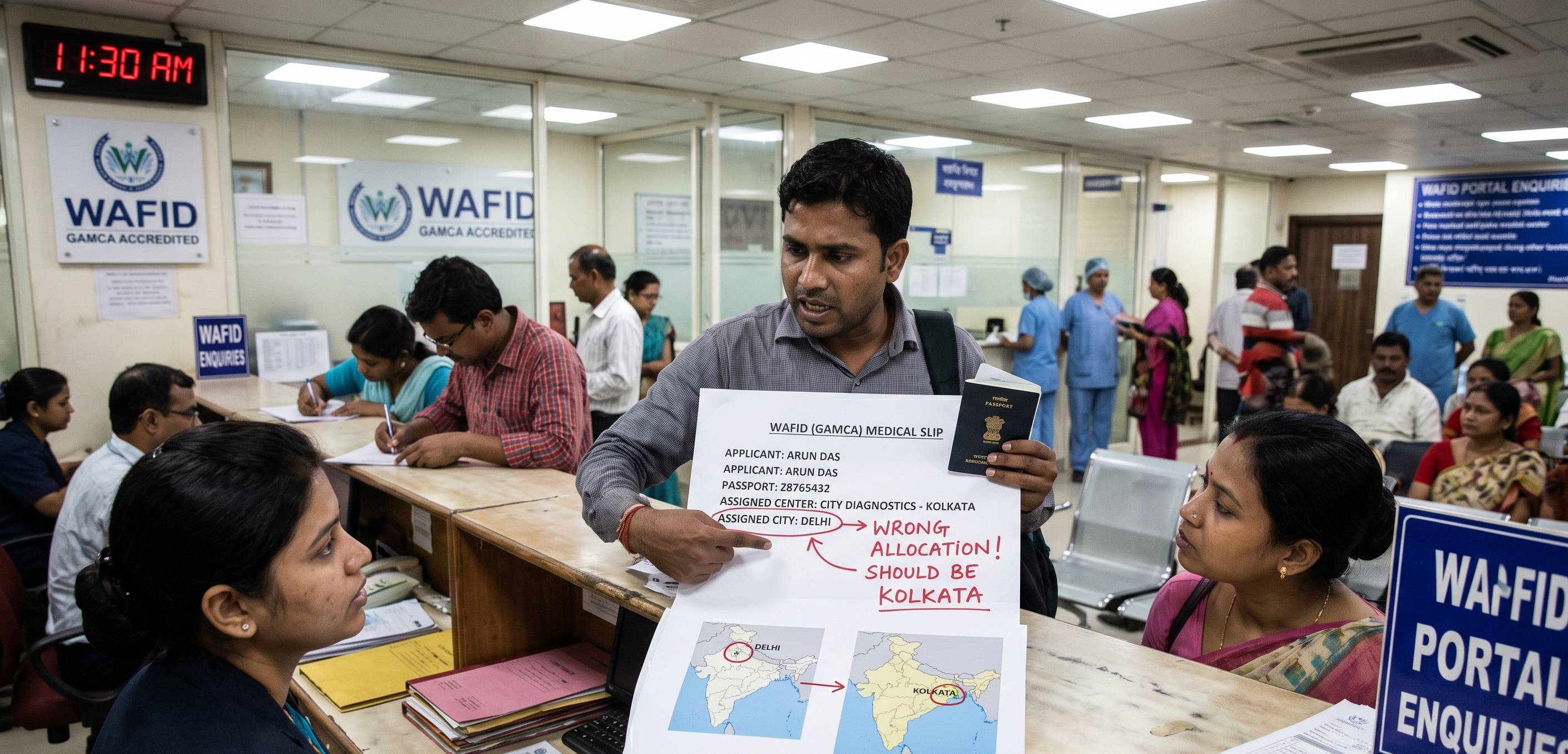
The GAMCA medical examination is a mandatory requirement for individuals seeking employment or residency visas in GCC countries. During the registration process, applicants are typically assigned a medical centre where they must complete their medical examination. While the allocation process is designed to distribute applicants fairly among approved centers, some individuals may feel that they have been assigned the wrong medical center.
Whether the allocated center is located far from the applicant’s residence, has limited appointment availability, or differs from the preferred location, understanding how the GAMCA medical center allocation works can help applicants avoid confusion and make informed decisions.
This guide explains why medical centre allocation occurs, common reasons applicants consider an allocation incorrect, and the available options for resolving such situations.
The GAMCA system (now operating under the integrated WAFID platform) uses an automated allocation process to assign applicants to GCC-approved medical centres. The primary objectives of this system are preventing overcrowding at specific centres, ensuring fair distribution of applicants, reducing manual manipulation, maintaining transparency, and supporting efficient medical processing.
Once registration is completed under a Standard Appointment ($10), the system automatically assigns a medical centre based on internal allocation rules. In most cases, applicants cannot freely choose any approved medical centre after a standard registration slip has been generated.
Applicants commonly describe an allocation as “wrong” when the assigned centre is located far from their city, the centre is difficult to reach, another approved centre is closer, appointment availability is inconvenient, or the centre differs from previous allocations.
However, an inconvenient allocation does not necessarily mean the system has made an error. A true allocation issue generally occurs when:
Incorrect Registration Information: Errors during registration can influence the allocation outcome. Examples include selecting the wrong city or state during registration or making typographical mistakes. Even minor mistakes affect how the system tracks and assigns clinics.
Limited Centre Capacity: Medical centres operate with strict daily appointment limits. When nearby centres reach capacity during peak recruitment seasons or large workforce hiring campaigns, the system may allocate applicants to alternative approved facilities in the region to balance workloads.
Technical Glitches: Although uncommon, server interruptions or registration processing delays can occasionally cause database synchronisation issues, resulting in an unexpected medical center assignment.
In most cases, standard WAFID/GAMCA allocations are generated automatically and cannot be modified or changed simply based on personal preference once the online medical slip is generated.
However, the portal provides a modern mechanism to avoid automated assignments entirely:
If you have already generated a standard slip and believe there is an error, follow these structural steps:
Step 1: Review Your Registration Details: Before taking any action, verify the city, state, and passport information listed on the generated confirmation slip. Many allocation concerns stem from accidental data-entry mistakes.
Step 2: Confirm the Medical Centre Status: Double-check the official WAFID directory to ensure the allocated facility remains active and officially approved. If it is valid and operational, the allocation is legitimate.
Step 3: Wait for Slip Expiration: If you absolutely cannot visit the assigned center due to distance or major errors, your primary choice is to let the medical slip expire. WAFID slips are valid for 21 to 30 days. Once expired without an exam, you can log back into the portal, pay the registration fee again, and book a new appointment (or select a Premium tier to choose a specific location).
Step 4: Seek Official Guidance: If a technical bug assigned you a center in an entirely different state than what you paid for, communicate through official WAFID support channels rather than relying on unauthorized third-party agents who claim they can manipulate automated database records.
Some applicants attempt to bypass the rule by physically visiting a different approved centre with their generated slip. This will result in immediate appointment rejection and database verification failures, as medical centers can only pull up applicant files explicitly mapped to their location.
To ensure a smooth process, always register carefully and double-check your location parameters before processing payments. Complete registrations personally rather than handing documents over to unverified intermediaries who might input data carelessly. If picking a specific medical clinic is vital to your travel plans, choose the Premium Appointment option at the very beginning of your registration workflow.
Unexpected medical centre allocations are relatively common among applicants, but they are typically the result of automated workload distribution rather than a system failure. By understanding the functional differences between Standard and Premium bookings and allowing mismatched slips to expire naturally when necessary, applicants can effectively navigate the WAFID architecture with confidence and zero visa disruptions.
Can I select my preferred GAMCA medical centre?
Yes, but only if you select the "Premium Appointment" option
($25) on the official portal during registration. Standard bookings
($10) allocate centers automatically.
Can I change my assigned medical centre after booking?
No. Once a standard slip is generated, it cannot be edited or
transferred. You must wait for the current slip's validity (21-30
days) to expire before booking again.
Will visiting another approved centre with my slip work?
No. The center will lack the backend digital authorization to
process your record, leading to immediate turnaways and potential
record mismatch flags.
Does an inconvenient allocation affect medical results?
No. Medical fitness decisions are strictly based on diagnostic
findings, lab reports, and physical exams, regardless of the center's
location.